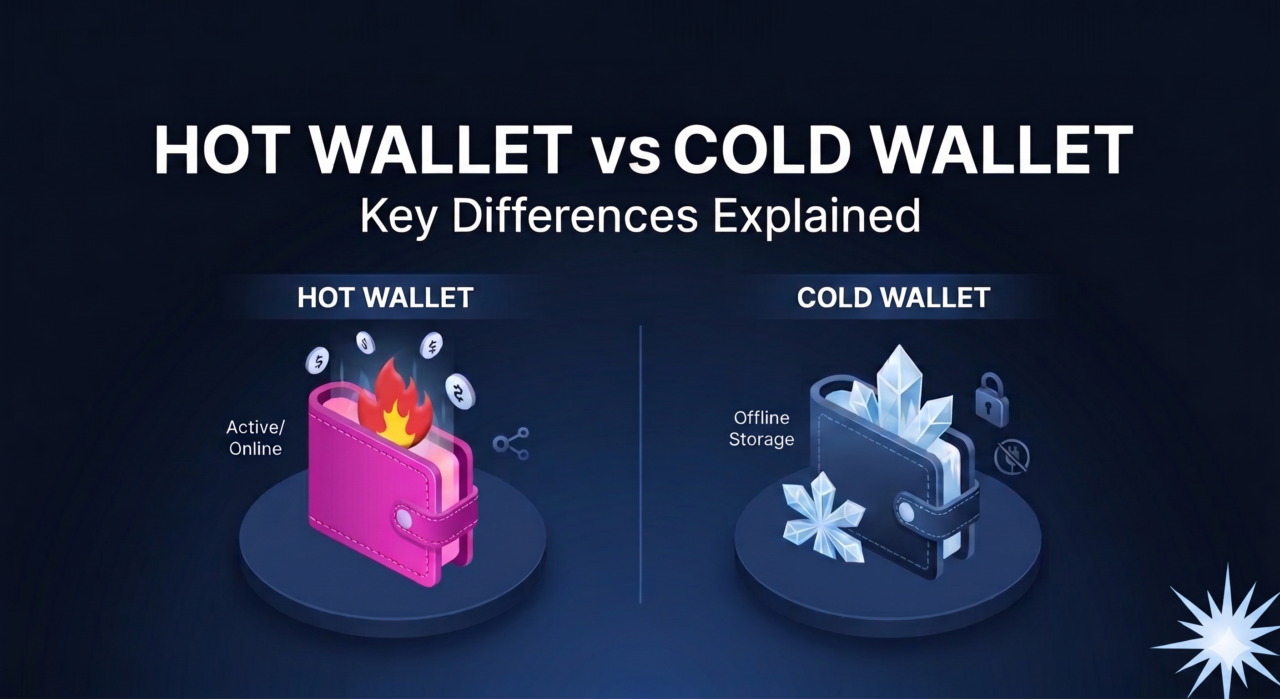
Buying cryptocurrency is the easy part. Keeping it is where many people lose. Every year, investors who picked the right coin at the right time still end up with nothing, not because the market crashed but because their coins were stolen, frozen on a failed platform, or locked behind a password they could no longer find.
That is why understanding hot wallet vs cold wallet storage is one of the most important things you can learn before you hold any meaningful amount of crypto. If you have already read our guide on how to choose a cryptocurrency exchange in 2026, this is the logical next step: once you have bought your coins, where should they actually live?
In this guide, we’ll break down what crypto wallets really are, how hot and cold wallets differ, the honest pros and cons of each, and a practical storage setup you can copy whether you hold £200 or £200,000.
What Is a Crypto Wallet, Really?
Here is the part most beginners get wrong: a crypto wallet does not store your coins.
Your Bitcoin, Ethereum or any other token lives on the blockchain, which is a public ledger shared across thousands of computers. What your wallet stores is the private key, a long secret number that proves you own a particular address on that ledger and allows you to move funds from it.
Think of it like this:
- The blockchain is a giant glass vault that everyone can see into.
- Your address is the label on your box inside that vault.
- Your private key is the only key that opens your box.
Whoever holds the private key controls the coins. Full stop. That is why the crypto community repeats the phrase “not your keys, not your coins.” If a company holds your keys for you, you are trusting that company to stay honest, solvent and secure.
The Seed Phrase: Your Master Backup
Most modern wallets don’t make you write down a raw private key. Instead, they give you a seed phrase (also called a recovery phrase), usually 12 or 24 ordinary English words generated using a standard called BIP-39.
That seed phrase can regenerate every private key in your wallet. If your phone is lost or your hardware device breaks, you can restore everything on a new device using those words. The flip side is brutal: anyone who sees your seed phrase can take everything, from anywhere in the world, in minutes.
Keep that idea in mind, because the whole hot wallet vs cold wallet debate is really a question about one thing: how exposed are your keys to the internet?
Custodial vs Non-Custodial: The First Decision
Before we get to hot and cold, there is an even more basic split.
Custodial Wallets
A custodial wallet is one where a third party, usually an exchange, holds the private keys on your behalf. When you buy Bitcoin on a large exchange and leave it there, you are using a custodial wallet.
Advantages:
- Easy to use, with password recovery if you forget your login
- Convenient for frequent trading
- No seed phrase to manage
Disadvantages:
- You don’t truly control your funds
- Withdrawals can be frozen during market stress or legal problems
- If the platform is hacked or goes bankrupt, your coins can be lost or locked up for years
History is full of painful examples. Mt. Gox, once the largest Bitcoin exchange in the world, collapsed in 2014 after losing hundreds of thousands of Bitcoin. FTX’s collapse in late 2022 froze billions in customer funds overnight. In February 2025, Bybit suffered a theft of roughly $1.5 billion in Ethereum, one of the largest hacks on record. Customers of well-run exchanges are often made whole, but you are relying on that, not guaranteeing it.
Non-Custodial Wallets
A non-custodial (or self-custody) wallet gives you the keys. Nobody can freeze your funds, and nobody can lose them for you. But nobody can recover them for you either. If you lose your seed phrase, there is no help desk.
Both hot and cold wallets can be non-custodial. That’s where the next distinction comes in.
What Is a Hot Wallet?
A hot wallet is any wallet whose private keys are stored on a device that is connected to the internet. Common types include:
- Mobile wallet apps on your smartphone
- Desktop wallet software on your laptop or PC
- Browser extension wallets used for DeFi apps and NFTs
- Exchange accounts (custodial hot wallets)
Pros of Hot Wallets
- Speed and convenience. You can send, receive, swap or trade in seconds.
- Free or cheap. Most software wallets cost nothing to download.
- Great for DeFi and Web3. Connecting to decentralised apps is simple.
- Beginner friendly. Setup usually takes under five minutes.
Cons of Hot Wallets
- Constant online exposure. Your keys sit on a device that also runs your browser, email and dozens of apps.
- Malware risk. Clipboard hijackers can silently swap the address you paste. Fake browser extensions can drain wallets.
- Phishing. A single click on a fake “wallet verification” link can expose your seed phrase.
- Device theft or loss. An unlocked phone in the wrong hands is a real threat.
Hot wallets are not “bad”. They are tools built for daily use, in the same way you carry some cash in your pocket but don’t keep your life savings there.
What Is a Cold Wallet?
A cold wallet keeps your private keys completely offline. The keys never touch an internet-connected machine, which removes most remote attack routes.
Common types include:
- Hardware wallets: small, dedicated devices (often USB or Bluetooth) that store keys in a secure chip and sign transactions inside the device.
- Air-gapped devices: hardware wallets that communicate only via QR codes or microSD cards, never a cable.
- Paper wallets: keys printed on paper. These are largely outdated and error-prone, so we don’t recommend them for most people today.
How a Hardware Wallet Actually Works
When you want to send funds, your phone or computer prepares the transaction, then passes it to the hardware wallet. The device shows you the amount and destination address on its own screen. You physically press a button to confirm, and the device signs the transaction internally. The private key never leaves the device.
That physical confirmation step is the magic. Even if your computer is infected, malware cannot approve a transaction without you pressing that button, and the device screen shows you the real destination address.
Pros of Cold Wallets
- Strong protection against hacks. Remote attackers can’t reach keys that are never online.
- Ideal for long-term holding. Perfect for coins you don’t plan to touch for months or years.
- Phishing-resistant. You verify every transaction on a trusted screen.
- Full ownership. No platform can freeze or seize your holdings.
Cons of Cold Wallets
- Upfront cost. Quality hardware wallets typically cost between about £50 and £250.
- Slower to use. Not suited to rapid trading.
- Physical responsibility. You must protect both the device and the seed phrase backup.
- Supply chain risk. Buying from unofficial resellers can expose you to tampered devices.
Hot Wallet vs Cold Wallet: Side-by-Side Comparison
| Feature | Hot Wallet | Cold Wallet |
|---|---|---|
| Internet connection | Always or often online | Keys stay offline |
| Security level | Moderate | High |
| Convenience | Very high | Moderate |
| Cost | Usually free | Around £50–£250 |
| Best for | Daily spending, trading, DeFi | Long-term savings |
| Main risks | Malware, phishing, hacks | Losing the seed phrase, physical theft |
| Setup time | Minutes | 15–30 minutes |
The takeaway: the hot wallet vs cold wallet question is not about picking a winner. It’s about matching each tool to the right job.
Which Wallet Should You Use? A Practical Framework
Here is a simple way to decide, based on how much you hold and how often you move it.
If You Hold Less Than About £500
A reputable non-custodial mobile wallet is usually enough, provided you:
- Write down your seed phrase on paper (never a screenshot)
- Turn on biometric and PIN locks
- Keep your phone’s operating system updated
The cost of a hardware wallet may be a large slice of your total holdings at this stage. Focus on good habits first.
If You Hold £500 to £10,000
This is where a hardware wallet starts to make clear financial sense. Once a single theft would genuinely hurt, a one-off £60–£150 purchase is cheap insurance. Use a mobile wallet only for small, active amounts.
If You Hold More Than £10,000
Consider a more robust setup:
- A hardware wallet as your main vault
- A metal seed phrase backup that survives fire and flooding
- A second backup stored in a separate secure location
- Possibly a multi-signature (multisig) wallet, where two or three separate keys are needed to move funds
If You Trade Actively
Keep only your trading capital on the exchange, and sweep profits into cold storage regularly. If you follow market mood tools such as the crypto fear and greed index, remember that periods of extreme fear are often when exchanges face withdrawal pressure. That’s exactly when you want your long-term coins safely offline.
The “Three Bucket” Storage Strategy
Many experienced holders use a simple three-tier system. It works for almost everyone.
- Spending bucket (hot wallet): 5–10% of holdings. Used for payments, small trades and experiments with apps.
- Trading bucket (exchange): Only what you are actively trading. Withdraw anything you are not using.
- Savings bucket (cold wallet): The majority of your long-term holdings. Rarely touched.
This mirrors traditional finance: a current account, a brokerage account and a savings vault. It limits damage from any single failure. If your phone is hacked, you lose the spending bucket, not your life savings.
How to Set Up a Cold Wallet Safely: Step by Step
Setting up a hardware wallet properly is where most security is won or lost. Follow these steps carefully.
- Buy directly from the manufacturer. Avoid marketplace resellers and second-hand devices. A tampered device can come with a pre-generated seed phrase controlled by a scammer.
- Check the packaging. Look for intact seals and anything unusual. Genuine devices never ship with a seed phrase already written on a card.
- Install official software only. Type the manufacturer’s web address manually rather than clicking ads in search results. Fake download pages are common.
- Generate a new seed phrase on the device. The device itself should create your 12 or 24 words. Never type them into a computer or phone.
- Write the words down by hand. Use the provided card or, better, a metal backup plate. Check the spelling and order twice.
- Verify the backup. Most devices ask you to confirm some words. Do it carefully.
- Send a small test transaction. Send a small amount first, confirm it arrives, then move the rest.
- Consider a passphrase. Many devices support an optional extra word (sometimes called the “25th word”) that creates a hidden wallet. It adds strong protection but must also be backed up, or the funds are lost forever.
The non-profit Bitcoin.org wallet guide is a useful neutral starting point for comparing wallet types if you hold Bitcoin.
Protecting Your Seed Phrase: The Golden Rules
Your seed phrase is more valuable than the hardware wallet itself. Devices can be replaced. Words, once exposed, cannot be “un-seen”.
Do:
- Store it offline, on paper or metal
- Keep at least one backup in a separate physical location
- Consider a fireproof safe or a safe deposit box
- Tell a trusted family member how to find access instructions in an emergency, without revealing the words themselves
Never:
- Take a photo of it
- Save it in notes apps, email, cloud drives or password managers synced online
- Type it into any website, form or chat
- Share it with “support staff”. No legitimate company will ever ask for it
If anyone asks for your seed phrase, it is a scam. Every time, without exception.
Common Crypto Storage Scams in 2026
Scammers adapt fast. These are the patterns to watch for right now.
Fake Support on Social Media
You post a question about a stuck transaction, and within minutes “support agents” reply or send a direct message. They link to a “validation” page asking for your recovery phrase. Real support teams don’t reach out first in DMs.
Address Poisoning
Attackers send tiny transactions from an address that looks almost identical to one you use, hoping you’ll copy it from your transaction history next time. Always verify the full address, not just the first and last few characters.
Clipboard Malware
Malicious software swaps a copied wallet address with the attacker’s address. A hardware wallet’s screen protects you here, but only if you actually check it.
Fake Wallet Apps
Counterfeit apps occasionally slip into app stores, copying the name and logo of a real wallet. Check the developer name, download counts and reviews, and use links from the official website.
Romance and “Pig Butchering” Schemes
A new online friend introduces you to a “special” trading platform. Early withdrawals work, building trust, then larger deposits disappear. The UK’s Financial Conduct Authority warns repeatedly that cryptoassets are high risk and that scams are widespread, and its warning list is worth checking before you send money to any platform.
For broader device-level protection, the UK National Cyber Security Centre publishes free, practical advice on securing phones, email and accounts, which directly reduces hot wallet risk.
What Happens to Your Crypto If Something Goes Wrong?
It’s worth thinking through failure scenarios before they happen.
Your hardware wallet breaks or is lost: No problem, as long as you have the seed phrase. Buy a new device (any compatible one), restore with your words, and your funds reappear.
Someone steals your hardware wallet: They still need your PIN. Most devices wipe themselves after several wrong attempts. Restore your funds on a new device and move them to a fresh wallet straight away.
You lose your seed phrase but still have the working device: Immediately create a new wallet with a new seed phrase, back it up properly, and transfer everything across.
You lose both the device and the seed phrase: The funds are gone permanently. This is why backups matter more than anything else in this guide.
You pass away: Without a plan, your family may never access your crypto. One famous cautionary tale is QuadrigaCX, the Canadian exchange whose founder died in 2018 and whose customers struggled to recover their funds. Leave clear instructions with a solicitor or in your will about where your backups are kept, without writing the seed words in the will itself.
Five Wallet Mistakes That Cost Investors Money
We covered general errors in our article on crypto investment mistakes beginners should avoid, but these five are specific to storage:
- Leaving everything on an exchange “for now”. “For now” often becomes years.
- Screenshots of seed phrases. Cloud photo backups are a goldmine for hackers.
- Skipping the test transaction. One wrong network or address can lose the full amount.
- Sending tokens on the wrong network. Always check that the sending and receiving networks match.
- Never checking the backup. A backup with one misspelt word may be useless when you need it.
Is a Cold Wallet Worth It? Our Verdict
For most people holding crypto as a long-term investment, the answer is yes. The hot wallet vs cold wallet decision comes down to a simple rule:
Use hot wallets for convenience and cold wallets for savings.
A hot wallet is your everyday pocket money. A cold wallet is your vault. Most serious investors use both, and that is exactly the balance we recommend.
If you’re still building your strategy, browse more beginner-friendly guides in our Crypto section, or explore market timing and position management in our Trading category.
People Also Ask: Hot Wallet vs Cold Wallet FAQs
Is a hot wallet safe for beginners?
Yes, for small amounts. A reputable non-custodial mobile wallet with a strong PIN, biometrics and an offline seed phrase backup is reasonably safe for everyday sums. As your balance grows, move the bulk into cold storage.
Can a cold wallet be hacked?
Remote hacking is extremely difficult because the keys stay offline. The real risks are physical: someone finding your seed phrase, buying a tampered device, or being tricked into approving a malicious transaction. Always read the device screen before confirming.
Do I need a cold wallet if I only hold a little crypto?
Not necessarily. Below a few hundred pounds, a good mobile wallet and careful habits are often enough. Once losing your holdings would genuinely hurt, a hardware wallet becomes a smart investment.
What happens if the company that made my hardware wallet shuts down?
Your crypto is still safe. Your funds live on the blockchain and your seed phrase follows open standards, so you can restore it on another compatible wallet.
Can I use one hardware wallet for multiple cryptocurrencies?
Most modern hardware wallets support thousands of coins and tokens, including Bitcoin, Ethereum and major stablecoins. Check the manufacturer’s supported asset list before buying.
Is it safer to keep crypto on a big exchange?
Large, regulated exchanges invest heavily in security, but they remain attractive targets and can freeze withdrawals. Exchanges are fine for active trading; long-term savings are better held in self-custody.
Should I keep my seed phrase in a password manager?
Most security experts advise against it. Online password managers sync to the cloud, which puts your master key back online. Paper or metal backups stored securely offline are the standard recommendation.
How often should I move crypto from an exchange to cold storage?
Many investors sweep funds monthly, or right after any large purchase. The key habit is never letting long-term holdings sit on a platform you don’t control.
Disclaimer: This article is for educational purposes only and is not financial advice. Cryptoassets are high risk and largely unregulated in the UK. Never invest more than you can afford to lose.